12.7 cm
Chassis width · Compact, roughly 5 inches
Kvmzen · Mac mini M4 Cloud Server
Move Xcode, signing, builds and AI experiments onto a data-center Mac mini M4 - keep coding on your own machine while the cloud handles everything that needs the Apple ecosystem. Dedicated bare metal, not a time-shared remote desktop.
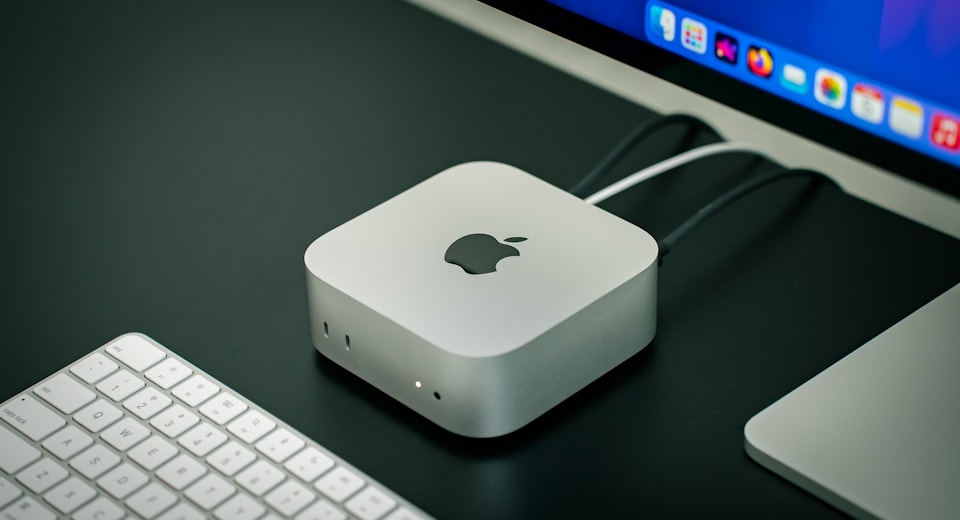
Design
The Mac mini is only about 12.7 × 12.7 cm, yet carries the full macOS and Apple M4 chip. Kvmzen hands you the entire physical machine - not a time-shared remote desktop, not a crippled virtual machine.
Professional cooling and power on our side keep it running silently 24/7; you connect remotely via SSH / VNC, with no extra hardware to buy. Compared with a similarly-priced Windows cloud server, macOS natively supports Xcode, Homebrew and Docker - migrate your build pipeline over and it works out of the box.
12.7 cm
Chassis width · Compact, roughly 5 inches
~4W
M4 idle power draw · Great for 24/7 CI nodes
SSH · VNC
Command line + graphical desktop · Ready remotely
Getting started
Kept deliberately short: pick a config, pay, wait for the provisioning ticket, then grab your connection info from the dashboard.
Choose M4 memory, disk, region and billing cycle on the pricing page; no login required yet.
Day / week plans are mostly one-time; month / quarter plans are subscriptions. The order links to your account after payment.
Once paid, your order enters the provisioning queue; setup progress and power actions are handled through tickets.
Grab SSH / VNC details from the dashboard; see the Help Center for full connection steps.
Comparison
Compiling, simulators and signing environments need predictable compute and isolation - here's how the three most common options stack up.
Performance
With the Apple M4 chip and unified memory architecture, Xcode compiles, Swift linking and parallel simulators all run in the data center - your local machine just orchestrates.
Single-project development, light builds and day-rate trials. Plenty of memory for controlled simulator concurrency, starting around $96.3/month.
Multi-branch CI, running the IDE and simulators together, AI experiments and heavy recompiles. The go-to tier for always-on team pipelines and larger dependency caches.
macOS natively supports Xcode, Homebrew and Docker - no WSL needed. Migrate your build pipeline over and clean-build times can drop significantly.
Local + cloud
Your Windows / Linux machine and a cloud Mac work together - no need to keep physical hardware around for short-term tasks.
Edit and debug on Windows / Linux, transfer files and run scripts over SSH; hand off recompiles and signing to the cloud M4.
Graphical desktop over VNC to check simulators and UI; designers and PMs can remotely see how it looks on real hardware.
Singapore, Japan, South Korea, Hong Kong, US East, US West - lower remote latency based on where your team is.
Validate build speed and latency on a daily plan first, then switch to monthly / quarterly - far less risk than buying hardware.
Choose a plan
The unified memory architecture makes running compiles and simulators together easier; start with 16GB or a daily trial if unsure, and go with 24GB for team CI.
$96.3 / mo, from
$196.3 / mo, from
Extend it
Extra disk, Thunderbolt bridging and flexible billing cycles - select them alongside your host on the pricing page; see plan details for specifics.
For repos, dependency caches, image archives and video assets; billed on the same cycle as the host, choose one tier.
High-speed links between machines for collaborative builds and multi-node pipelines; add it alongside your host on the pricing page.
Day / week plans are mostly one-time; month / quarter are subscription renewals. Go short for trials, long for always-on builds.
After paying on the pricing page, log in from the same browser to merge the order into your account; guest checkout doesn't affect managing the instance in the dashboard later.
Go choose a planmacOS
Cloud instances run standard macOS, supporting Xcode, the iOS Simulator, Docker, Homebrew and the whole toolchain you already know. Signing, provisioning profiles and release flows stay reproducible in a traceable environment.
Use cases
Productivity, creative work, engineering, CI and AI - the same bare-metal capability, applied to different parts of different teams' workflows.
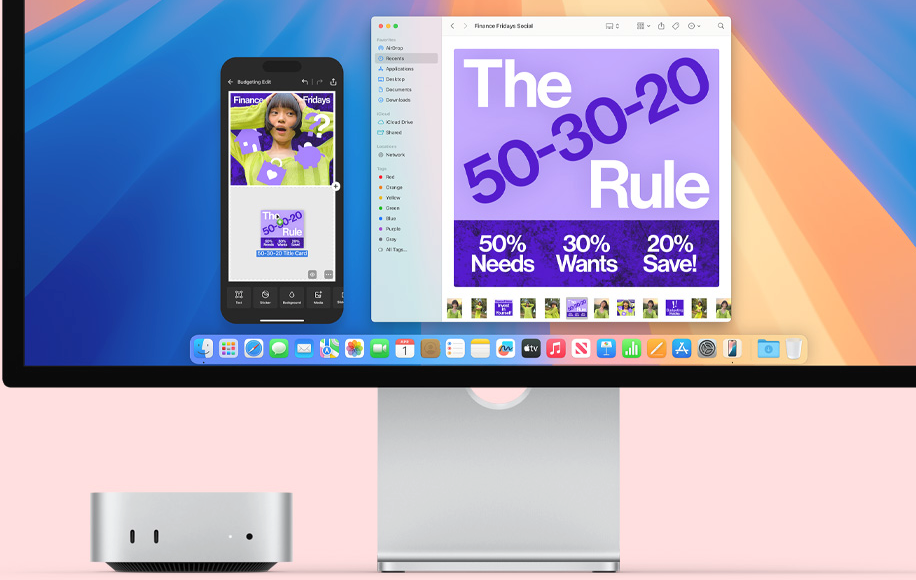
Switch between Slack, Zoom and spreadsheets while heavy recompiles run on a data-center M4; your local fan stays quiet and your flow stays uninterrupted.
Final Cut Pro, Logic Pro, Blender and Photoshop run on full macOS; operate remotely over VNC, with transfers on dedicated 1 Gbps bandwidth.
Full Xcode toolchain, real-device debugging and a signing environment; operate over SSH / VNC, and isolate certificates across multiple instances for multiple projects.
Run a dedicated Runner for Jenkins, GitHub Actions, GitLab CI or Fastlane - no need to share a build queue with anyone else.
Move inference and toolchain validation to a 24GB M4 node, keeping only orchestration local; great for Core ML and running local models in parallel.
Why Kvmzen
From about $96.3/month, or try it by the day - far less risk than buying a Mac mini, with bare-metal-grade compute and isolation.
From about $96.3/month, or try it by the day; switch to monthly / quarterly once satisfied - upfront cost is far below buying a Mac mini.
The whole Mac mini is yours, not a time-shared VM; compute, certificate environment and isolation are all predictable.
6 nodes across APAC & US West - deploy near your team to reduce remote-desktop and transfer latency.
Day / week / month / quarter, live pricing on the pricing page; extra disk and Thunderbolt add-ons are clearly itemized.
Once paid, orders enter the provisioning queue; progress, power actions and support are all tracked through tickets with a full history.
What people say
The following are stylized illustrations reflecting common experience along typical usage paths.
"We moved heavy inference to a data-center M4 and kept the laptop for orchestration and debugging only. The fan went quiet, and our iteration pace actually got faster."
"A separate instance per repo for CI means certificates no longer overwrite each other."
"After switching to the nearest node, VNC latency for our overseas teammates dropped noticeably."
From a daily trial to a quarterly subscription - pick your M4 configuration and region on the pricing page in one step. No need to buy a Mac to ship on real macOS.