Kvmzen · Plans

Mac mini M4
Cloud Server

No need to buy a Mac - rent bare-metal M4 by the month. Full macOS, dedicated IPv4 and 1 Gbps. From about $101.7/month (16GB · 256GB). Prices below are USD reference rates, converted from the monthly rate for other cycles.

Chip
Apple M4
Delivery
Dedicated bare metal
Bandwidth
1 Gbps dedicated
Network
Dedicated IPv4
Access
SSH · VNC

Specs

One cloud Mac,
all of this included

Whichever tier you choose, delivery format and network specs are identical; the main difference is memory and disk.

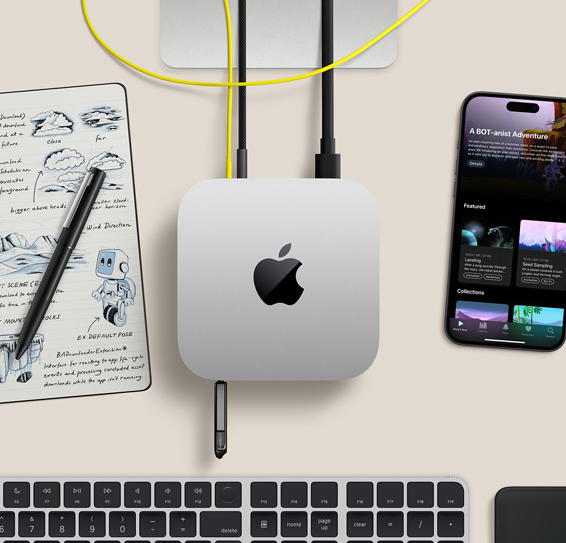
Overhead view of a Mac mini on a desk
Chip
Apple M4
Memory
16GB / 24GB unified memory
Storage
256GB / 512GB SSD
+1TB / +2TB add-on available
Network
Dedicated IPv4 · 1 Gbps
Access
SSH · VNC remote
OS
Full macOS
Delivery
Dedicated bare metal
Data centers
6 nodes across APAC & US West
  • Apple M4 bare metal the whole Mac mini is dedicated to you, not a shared VM
  • Full macOS Xcode, simulators, Homebrew and Docker all work natively
  • Dedicated egress its own IPv4 · 1 Gbps per machine, remote access via SSH / VNC

Plans

Configurations & pricing,
pick the tier for your workload

The unified memory architecture makes compiling and running simulators together easier; switch the cycle tabs to see pricing per tier.

Subscription · billed monthly · renews unless cancelled before it ends
Everyday dev

M4 · 16GB / 256GB

$102.9 / mo

  • Dedicated bare-metal Apple M4
  • 16GB unified memory
  • 256GB SSD
  • 1 Gbps · dedicated IPv4

Great for single-project Xcode development · the go-to for a daily trial. Good fit for always-on scripts, light compiles and testing the remote desktop.

Rent this plan
Team pick
Coding & CI

M4 · 24GB / 512GB

$202.9 / mo

  • Dedicated bare-metal Apple M4
  • 24GB unified memory
  • 512GB SSD
  • 1 Gbps · dedicated IPv4

Multi-branch CI · run the IDE and simulators together. Great for always-on pipelines, multi-user SSH and AI experiment workloads.

Rent this plan

Prices on this page are for reference; the actual charge follows the order page. Daily is one-time; weekly / monthly / quarterly are subscriptions.

Vs. buying

Rent, or buy a Mac mini?

A Mac mini starts at about $799 to buy; Kvmzen starts at about $101.7/month, with daily trials available - no upfront lump sum needed.

Kvmzen rental

Cloud Mac mini M4

  • From about $101.7/month, or try it by the day
  • Dedicated bare metal · dedicated IPv4
  • Multi-region deployment · scale with your project
  • Great for trials, CI, and remote teams
Buy hardware

Local Mac mini

  • About $799+ one-time
  • Network depends on your local connection
  • Good for long-term full-time local development
  • Upgrades require replacing hardware yourself

Included with every plan

Whichever tier you pick,
this is already included

A standard macOS environment supporting Xcode, simulators, Docker and Homebrew; extra disk and Thunderbolt are priced separately below.

A whole dedicated Mac mini

Bare-metal delivery, not a time-shared VM; compute and isolation are predictable.

1 Gbps dedicated

Independent egress bandwidth per machine - transfers, dependency pulls and remote desktop don't compete with anyone else's line.

Dedicated IPv4

Standard plans come with their own public IP; easier to manage allow-lists, callbacks and a fixed egress.

SSH · VNC

Grab credentials from the dashboard once provisioned; SSH for the command line, VNC for the graphical desktop.

Order without registering

After paying on the order page, log in from the same browser to merge the order into your account.

Provisioning & support

Provisioning progress, power actions and technical support are all trackable end to end.

Billing

Four cycles,
for different rental rhythms

Go short for a trial, long for always-on builds or CI; switch the tabs above to see the price for each tier.

Daily

One-time purchase, good for testing build speed and latency; stops automatically at the end, no charge for the next period.

Weekly

Good for short projects or sprints; a weekly subscription that renews at the same tier unless cancelled before it ends.

Monthly

The most common always-on cycle; a monthly subscription suited to long-term development and CI pipelines.

Quarterly

Less to think about over a longer cycle; a quarterly subscription usually works out cheaper per month than renewing monthly.

Extend it

Ready to go,
and easy to extend

Disk and Thunderbolt bridging pricing updates with the cycle tabs above; select them alongside your host on the order page.

+1TB disk

More room for Xcode caches, Docker images and asset libraries; good for archiving larger projects.

+$12.9 / mo

+2TB disk

A larger storage tier, good for multi-repo dependency caches and video editing assets.

+$26.2 / mo

Thunderbolt 5 bridging

High-speed links between machines, good for multi-node CI coordination and parallel builds.

+$8.9 / mo

Which to choose

16GB or 24GB?
Pick based on your use case

Both tiers share the same network and delivery specs; the main difference is memory and disk. Try a short daily rental first if you're unsure.

16GB · 256GB

Productivity · single-project dev

  • Single-repo Xcode compiling and packaging
  • Plenty of memory for controlled simulator concurrency
  • Try a day / week, then switch to monthly

Monthly reference $102.9 / mo

24GB · 512GB · Recommended

Coding & CI · multitasking

  • Multi-branch builds, IDE and simulators together
  • More headroom for Fastlane packaging and dependency caching
  • Better suited to AI inference and heavy recompiles

Monthly reference $202.9 / mo

Still not sure?

We'd suggest renting the 16GB tier by the day first to test compile times and VNC latency; if simulators or CI keep maxing out memory, upgrade to 24GB or add disk. For multi-project isolation, spin up multiple instances so certificates and environments never cross over.

Go to the order page

Getting started

Choose · Pay · Provision · Connect

Four steps in total; exact timing depends on stock, tracked live in the dashboard. Full details in the Help Center.

  1. Choose a config

    Pick memory, disk, region and cycle on the order page; no login required yet.

  2. Pay

    Once paid, the order merges into your account; daily is one-time, week/month/quarter are subscriptions.

  3. Provisioning

    Enters the delivery queue; the data center checks stock for the chosen region and begins setup.

  4. Connect

    Once ready, grab SSH / VNC credentials from the dashboard and start using it remotely.

Read the connection & dashboard guide

Data centers

Pick the data center
nearest your team

Choose a region on the order page; IP and routing follow the selected node. See the order page for live stock.

APAC

  • Singapore
  • Japan
  • South Korea
  • Hong Kong

Americas

  • US West
  • US East

Every node includes 1 Gbps dedicated bandwidth and a dedicated IPv4.

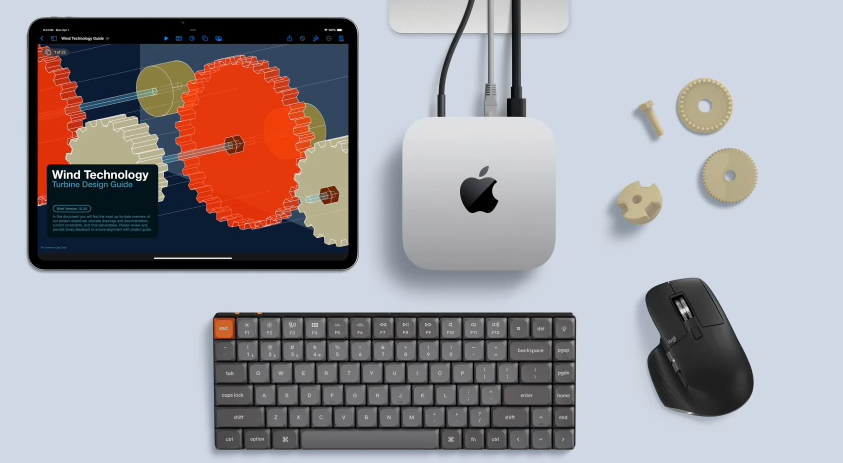
Mac mini cloud development workspace illustration

Before you order

A few things worth knowing first

Reference price vs. amount charged

Prices here are for reference; promotions, add-ons and exchange rates follow the amount charged on the order page.

How to cancel a subscription

Weekly / monthly / quarterly can be managed in the dashboard before renewal; daily stops automatically, no cancellation needed.

How long does provisioning take

Orders enter the ticket queue after payment; timing depends on stock - track progress in the dashboard.

Can I upgrade later

Changing memory tier usually requires a new instance and migrating your data; disk can be extended via add-ons - specifics follow the support ticket response.

What toolchains are supported

A full macOS environment that runs Xcode, simulators, Flutter, Fastlane, Docker and more; see the Help Center for details.

Pick your configuration,
and start renting

From a daily trial to a quarterly subscription - region and add-ons all in one step on the order page.