
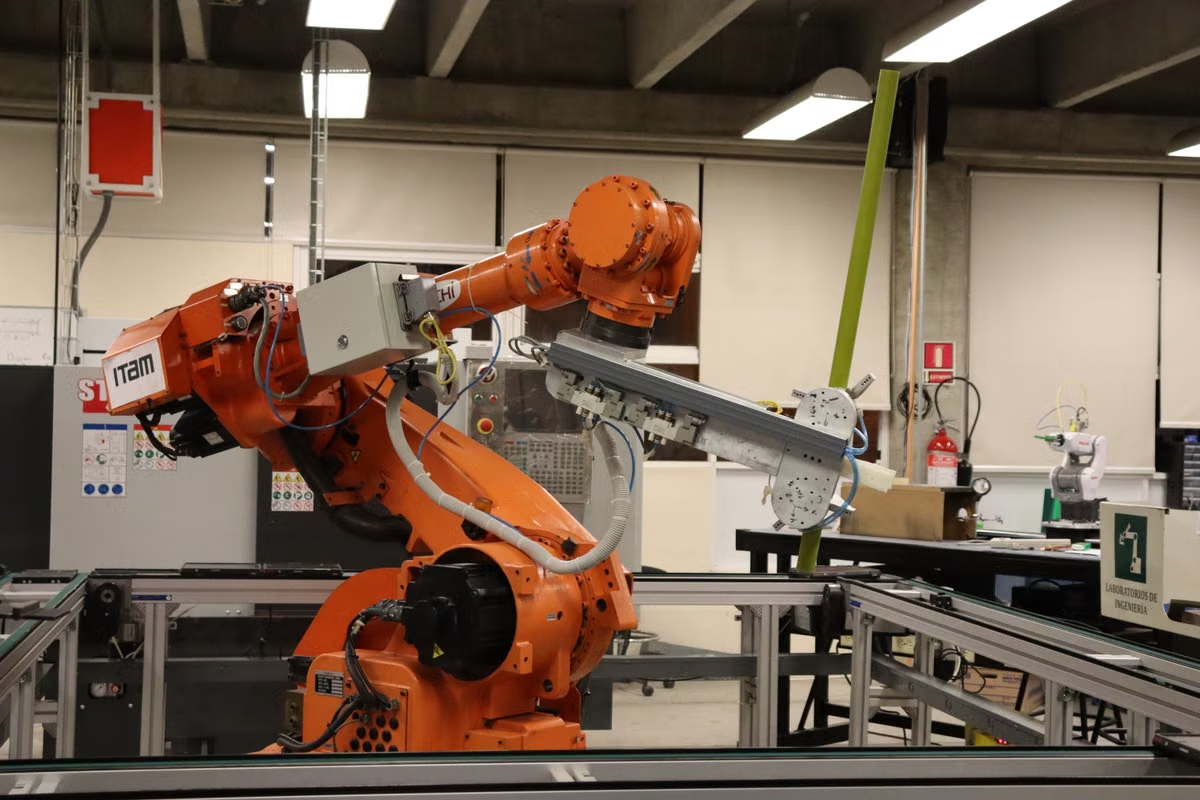
Your AI can describe an object, but that does not mean a robot can safely pick it up or put it where you want it.
Fastest answer: AI moving from computers to robots works best when an Agent plans a bounded task, a vision model reads the scene, and a robot executes checked actions; it is not yet a dependable substitute for human judgment in open-ended environments.
This guide is for readers assessing what embodied AI can actually do, developers connecting Agents and vision models to robot hardware, and decision-makers separating controlled demonstrations from dependable deployment.
What changes when AI moves from computers to robots?
A computer-based Agent usually acts through software: it reads inputs, selects tools, and returns an answer or changes digital data. A robot adds a physical consequence. The system must interpret an environment, choose an action, move hardware, and check whether that action worked.
The basic division of work is:
- Agent: interprets the goal, breaks it into steps, chooses among available actions, and decides when to ask for confirmation.
- Vision model: interprets camera images or other visual input, such as identifying objects and estimating where they are.
- Robot and its control system: convert approved commands into movement, using sensors and low-level controls to execute and monitor the action.
That division is useful, but it is not a guarantee of success. A language model can suggest a plausible action that the robot cannot physically perform. A vision model can misidentify an object or miss that it has moved. A controller can receive a valid-looking target that is unsafe to reach. The system therefore needs feedback and rules about when to stop.
What can an Agent, vision model, and robot do together in practice? In a bounded task, they can support a loop such as “find the marked container, pick it up, move it to the assigned station, and report whether it arrived.” The Agent can sequence the steps, the vision model can help locate the container, and the robot can perform the motion. This is different from asking a robot to manage an unfamiliar room without supervision.
A public demonstration of RT-2 describes a model that connects visual and language inputs with robot actions. It is evidence that this kind of mapping can be tested—not proof that a general-purpose robot will reliably handle arbitrary household requests. The RT-2 technical description and its stated evaluation context are a better basis for understanding the demonstration than a short clip alone.
| Setting or approach | What the combined system can support | What you still need to verify |
|---|---|---|
| Controlled cell or workstation | Repeated inspection, sorting, or transfer when objects and work areas are well defined | Whether object variation, occlusion, or a jam causes a safe stop |
| Home or public service area | Simple, supervised object-finding or fetch-and-place demonstrations | Whether the robot handles clutter, people, pets, and changing layouts |
| Open-ended autonomous operation | Planning and reacting across multiple unfamiliar tasks may be explored in research | Whether it can recover from mistakes, maintain safety, and complete the task without intervention |
A further signal comes from the scope of existing industrial activity, not from a claim about new AI performance. The International Federation of Robotics reports 542,000 industrial robot installations worldwide in 2024 and an operational stock of 4.664 million. Those figures describe industrial robotics overall; they do not show that all those robots use vision-language Agents or can work autonomously in unstructured spaces. The World Robotics 2025 executive summary provides the context.
A polished demo proves that a system completed a task under the demo’s conditions. For a deployment decision, ask what happened when the camera view changed, an object was misplaced, or a human entered the work area.
Home and service tasks depend on the environment
In a home, hotel, clinic, or service area, a robot may be asked to find a particular item, move it, or perform a sequence of simple actions. A vision model can help distinguish a cup from a plate or locate a labeled package. An Agent can turn a request into a sequence: locate the item, approach it, attempt a grasp, move to a destination, and report the result.
How can a robot use a vision model to recognize its surroundings and act? The camera supplies images; the model identifies likely objects or relevant regions; the robot’s software turns that information into a target or a candidate action. The robot still needs a movement system that can reach the target and feedback to check whether the grasp or placement succeeded. A model’s description of a scene is not itself a verified measurement of distance, grip force, or collision risk.
A useful public reference is the published description of Gemini Robotics 1.5. It distinguishes the work of models that reason about a task from the robot’s embodied actions, while describing the technology in terms of research and availability boundaries. Read the technical account of Gemini Robotics 1.5 and its stated scope as a description of a system and its intended use, not as evidence that every domestic robot can perform the same tasks.
A short fetch-and-place demonstration can be meaningful: it shows that perception, planning, and movement can be connected in a defined test. Routine service use asks more. Can the system distinguish a similar-looking item? Does it know when a person is in the way? Can it handle an object whose position has changed? Does it stop and ask for help when the instruction is ambiguous? Those questions determine whether a capability is a supervised demonstration, a limited pilot, or a stable service.
The main benefits and drawbacks are different from those of a screen-only assistant:
- Potential benefit: the system can act on physical objects rather than only describing them or issuing digital commands.
- Potential benefit: an Agent can coordinate several bounded actions without requiring a separate human instruction for every motion.
- Constraint: household layouts, lighting, object positions, and people change in ways that can invalidate earlier observations.
- Constraint: a mistaken movement can damage property or injure someone, so confidence in a verbal answer is not enough to authorize action.
Industrial and logistics workflows favor structure
Factories and warehouses often offer a more suitable starting point because teams can define work areas, object types, routes, and handoff rules. Vision can support locating or inspecting items; an Agent can coordinate a workflow, such as checking an item before routing it; and a robot can perform the physical transfer or inspection. The system is most useful when its tasks and exception paths are explicit.
The distinction is between adding AI to a defined workflow and expecting AI to make the workflow safe by itself. A robot that handles a known tote in a marked area faces a narrower problem than one that must manipulate arbitrary objects around people. A human may still need to approve unusual cases, clear a jam, or confirm an inspection result before it triggers a consequential decision.
An example of research in a structured setting is the description of robot-assisted wet-lab workflows. The published account of robotic assistance in biological research describes a specific research context; it should not be generalized into a claim that a robot can independently run any laboratory procedure. The relevant lesson for a product team is to identify which steps were automated, what equipment and protocols were involved, and where human oversight remained.
For deployment context, the IFR report’s installation and operational-stock figures show that industrial robots are already used at scale. They do not establish that a vision model or Agent will improve a particular operation. You need a task-level trial that records exceptions, recoveries, and human interventions rather than assuming benefits from the presence of a robot.
| Decision dimension | Structured industrial task | Home or other changing environment |
|---|---|---|
| Scene predictability | Often higher when work areas and object classes are controlled | Lower when people, clutter, and object locations vary |
| Best initial role for an Agent | Coordinate known steps and route exceptions to an operator | Handle narrow requests with explicit confirmation points |
| Main vision risk | Occlusion, object variation, or a changed inspection condition | Similar objects, clutter, lighting changes, or unexpected movement |
| Appropriate fallback | Stop the cell or hand control to an operator under defined rules | Pause, request clarification, or let a person complete the action |
| Evidence needed before rollout | Trial results across expected variations and failure cases | Repeated tests in the actual layout, including human presence and recovery |
The control loop needs observation, action, and verification
How does an Agent turn a user instruction into robot actions? It can interpret the goal and propose a task plan, but a safe system does not treat that plan as a direct motor command. A practical workflow separates planning from execution and checks the result before moving to the next step.
A team can test the workflow in this order:
- Define a bounded request. Replace a vague instruction such as “tidy this area” with a specific target, permitted action, and destination.
- Set operating limits. Specify where the robot may move, which objects it may handle, and what conditions require a stop or human approval.
- Observe the scene. Capture the required sensor input and establish whether the target is visible and sufficiently identified.
- Generate a plan. Have the Agent select from defined actions rather than inventing unrestricted commands.
- Validate the next action. Check that the proposed target and movement are within the robot’s permitted workspace and that the action is appropriate for the object.
- Execute and observe again. Use the robot’s sensors and camera feedback to check what happened instead of assuming the commanded movement succeeded.
- Confirm completion or hand off. Report success only after checking the outcome; otherwise pause, retry only under an approved rule, or request human intervention.
This separation also helps teams test software before connecting it to physical hardware. The simulation and testing guide for ROS 2 with Isaac Sim explains a simulation-based workflow for robot development. Simulation can help expose planning and integration errors, but it cannot establish that a physical robot will behave identically under real sensor noise, friction, object variation, or safety constraints.
A useful principle is to keep model output, perception, and physical control as separate decisions. The Agent proposes; the perception and control stack check whether the target and action make sense; the robot acts within constraints; and the system observes the result. This provides places to reject an unsafe or unsupported action instead of letting a fluent instruction pass straight through to the hardware.
If a task can cause harm or damage, make human approval an explicit state in the workflow. Do not rely on the model to decide on its own that a situation is “probably safe.”
The limits are operational, not just model quality
A vision model can fail when an object is hidden, unfamiliar, reflective, or visually similar to another object. Even a correct object label may not provide the geometry needed for a reliable grasp. A robot must combine perception with suitable sensors, calibration, a capable end effector, and control software. A language model cannot compensate for missing physical capability.
Long tasks add another problem: small errors accumulate. If the first observation is wrong, later steps may be based on a false assumption. If the robot reports success without checking the physical result, an Agent may proceed as though the task is complete. Robust systems need to detect uncertainty, define recovery actions, and avoid repeating a failed movement without a reason.
Safety is also a system-level responsibility. ISO 10218-1:2025 describes safety requirements for industrial robots. The standard’s scope is relevant to industrial robot design; citing it does not certify a particular application, robot, or AI model as safe. Teams still need to assess the actual machine, workcell, task, and human interaction.
A helpful evidence ladder is:
- Demonstrated: a system completed a described task under stated test conditions.
- Piloted: a system is being tried in a defined operational setting, with the degree of human oversight made clear.
- Operationally established: the task has been validated for the intended environment, including expected variations, failure handling, and safety responsibilities.
Do not move a claim up this ladder because a video looks convincing or a model answers confidently. Ask for the test conditions, the failure cases, the intervention rate, and the mechanism that stops unsafe actions. If the source does not provide those details, describe the capability narrowly.
Use task conditions to decide whether it is ready
Which tasks still need human confirmation when an Agent controls a robot? Keep a person in the loop when the instruction is ambiguous, the object or environment is unfamiliar, the action is difficult to reverse, or failure could cause injury, damage, or a consequential decision. For a well-bounded, reversible action in a controlled workspace, you may be able to automate more of the sequence—but only after testing the actual setup.
Use this decision check before committing to an implementation:
- Is the environment controlled? If the robot’s work area and object set are stable, start with a narrow task. If they change frequently, treat perception and recovery as core requirements.
- Can you define a safe action boundary? If you can specify allowed zones, targets, and stopping rules, the task is easier to validate. If not, narrow the task before adding autonomy.
- Can you reverse the action? A misplaced light object may be recoverable; a hazardous or irreversible action calls for stricter approval and monitoring.
- What happens when the system is wrong? If a failure has serious consequences, require an operator confirmation or keep the task out of scope.
- Can the robot detect and report failure? If it cannot tell whether it grasped, moved, or placed the item, it cannot reliably close the task loop.
- Can a person take over? Specify when the system pauses, what information it provides, and how control returns to an operator.
- Has the complete setup been tested? Test the model, camera, robot, controls, and work area together. A model demonstration or simulation alone is not deployment evidence.
Your choice should follow from the answers. Automate a repetitive, well-defined task when its risks are bounded and the system can verify outcomes. Keep human approval for uncertain or high-consequence actions. If the environment is open-ended and the system has no reliable recovery path, treat the capability as experimental rather than ready for unattended use.
Moving development from a computer prototype to a physical robot also introduces a separate engineering question: the development environment is not the robot itself. A remote Mac can be useful when your workflow requires macOS-specific builds or testing, but it does not reproduce robot sensors, motion, or safety conditions. For that reason, compare the development host with the hardware-validation setup rather than treating either as a substitute for the other. You can review Kvmzen’s Mac use cases when deciding whether a Mac environment fits that part of your workflow.
If you are still mapping the development process, first document the task, environment, failure consequences, and human handoff points; then decide which parts need simulation, a physical test setup, or a macOS-specific build environment. For background on the provider and its business, see Kvmzen’s company information. Renting a Mac may make a Mac-dependent test environment easier to access than relying only on an unavailable local machine, but it does not remove the limits of computer-only prototypes or replace robot hardware validation. For sustained work that needs a permanently available machine or physical interfaces, owning suitable hardware may be the better fit.